
Everything you’ve said, easy to find again
A journal is only worth keeping if you can get back into it. Every entry sits on a timeline with its mood and its recording — browsable by month, searchable to the sentence, and yours to correct at any point.

A timeline you can actually browse
Mood colour does most of the navigating — you tend to remember how a week felt before you remember when it was.
-
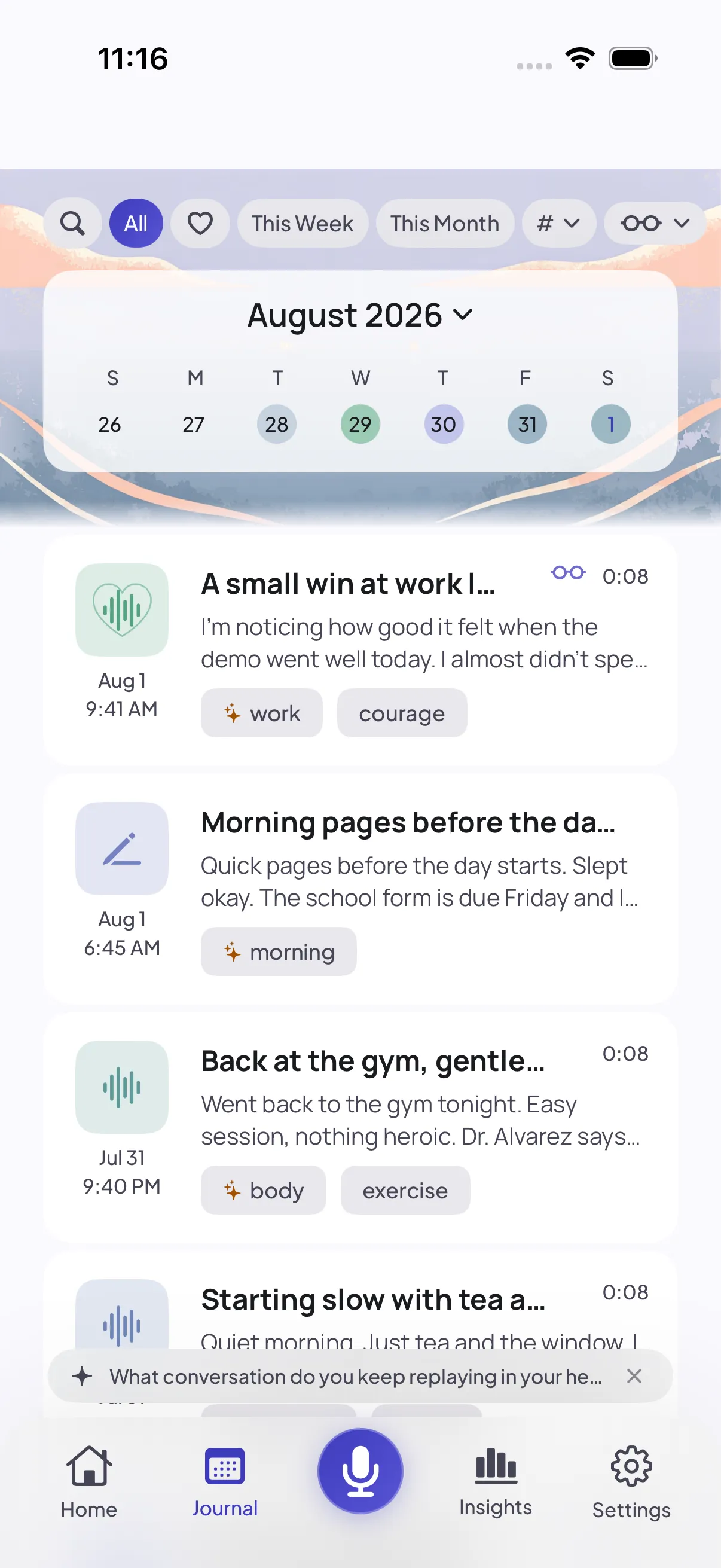
Everything you’ve said
Each entry with its date, its length, its tags, and a mood colour. Spoken and written ones sit side by side.
-
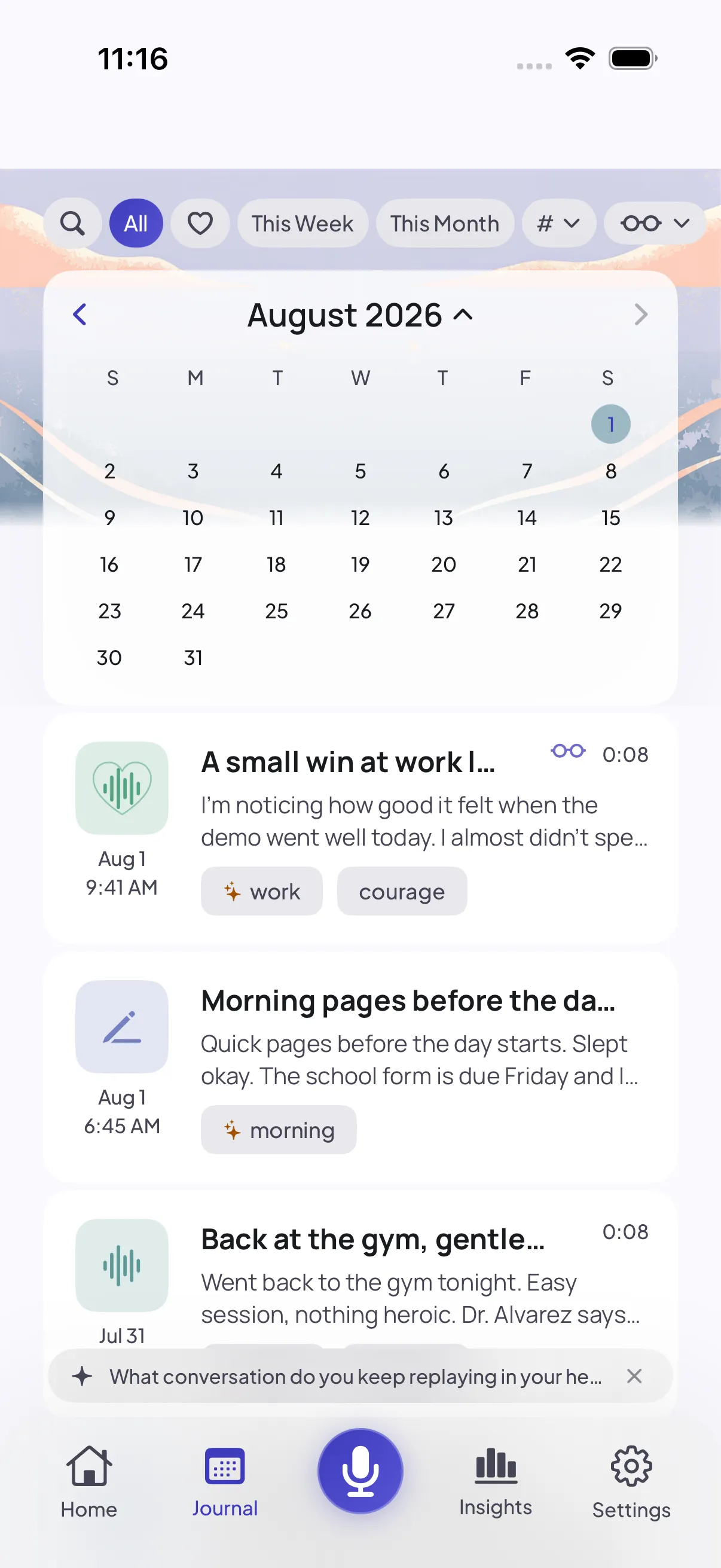
A month at a glance
Tap the week strip and it opens to the month. Tap any day to jump straight there.
-
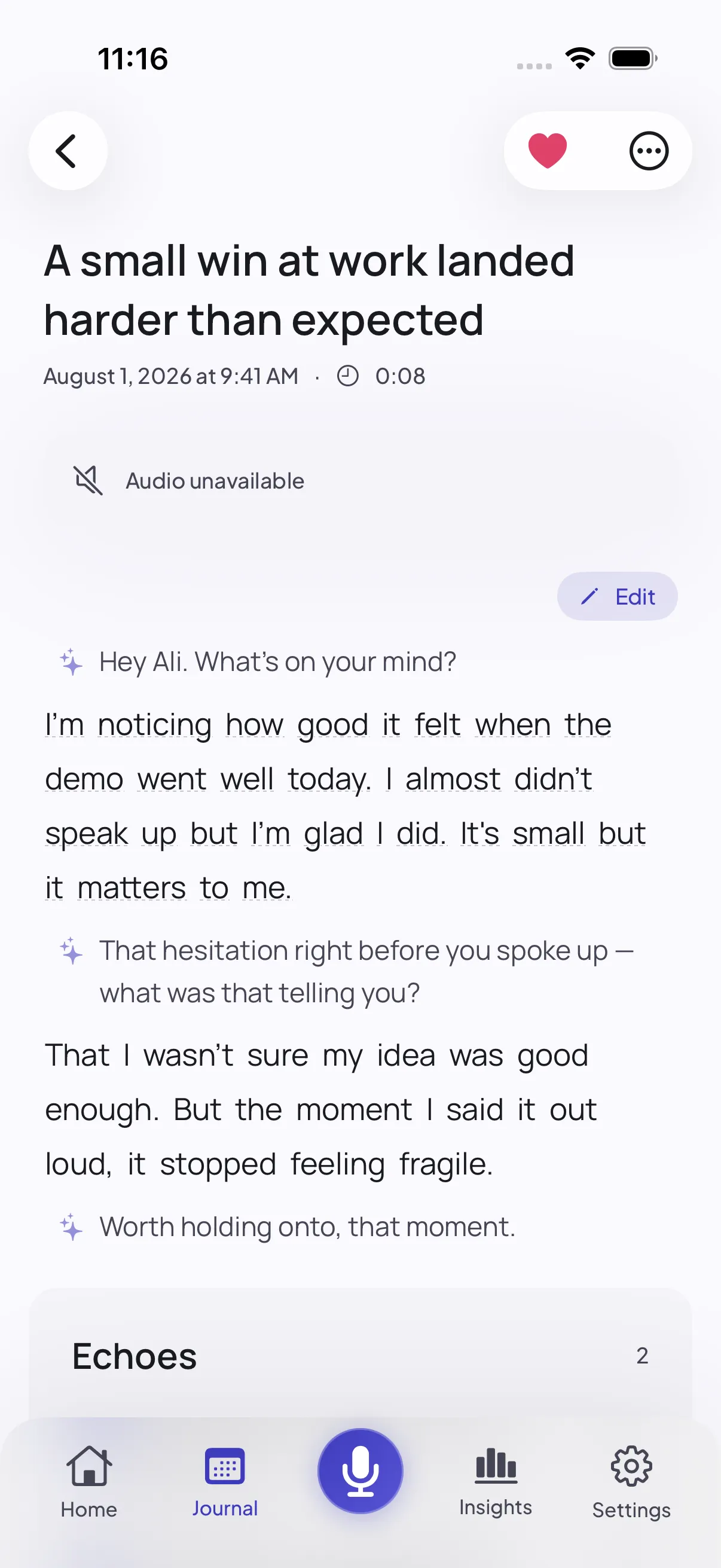
Inside an entry
The recording with a scrubbable waveform, and the whole exchange underneath — your words, and the few questions that shaped them.
Six ways into what you already said
Nothing here needs maintaining. The filing happens as a side effect of talking.
-
The calendar
A week strip by default, a full month when you tap it — each day tinted by how it felt, so a rough patch is visible before you read a word.
-
Search
Stays out of the way until you reach for it. Then it looks through everything you’ve ever said.
-
Tags that write themselves
Entries pick up their own tags from what you talked about. Edit them, add your own, or ignore them entirely.
-
Hear it again
Every spoken entry keeps its recording, so you can listen back to the moment instead of only reading it.
-
Lenses
Ask for a second look at one entry — what might be underneath it, a kinder reading of it, or one small thing worth trying. Only ever on request.
-
Echoes
Mark the lines worth keeping. They come back to you later, anchored to the moment in the recording where you said them.
A journal that doesn’t keep score
What’s missing matters as much as what’s here.
-
No gaps to explain
Miss a week and the journal simply has a quiet week in it. Nothing turns red, nothing resets, nothing asks where you were.
-
A record, not a draft
You can fix the text and change the mood, but what you said out loud stays as you said it. That’s the point of keeping it.
-
Sensitive entries stay put
Mark an entry sensitive and nothing from it will be surfaced back to you — no echo, no letter, no mention in a session.
Years of your life, on one device
A journal accumulates into something far more revealing than any single entry. It’s treated that way.
-
It lives on your iPhone
Entries, audio and tags are all stored on your device, in storage the system keeps encrypted while your phone is locked.
-
No account to tie it to
There’s no sign-up and no email, so there is no identity attached to any of it — and no server-side copy to leak.
-
Delete means delete
Remove an entry and its recording, its tags and its echoes go with it. Nothing is kept behind as a shadow copy.
Questions about your journal
Can I find an old entry?
Yes. The calendar opens to a month at a glance, the filters narrow by mood or kind, and search reveals from the filter row when you need it.
Can I edit an entry after the fact?
You can edit the text, adjust the mood, and add or change tags. What you said out loud stays as it was recorded — the entry is a record, not a draft.
Does anything get written into my entry that I didn’t say?
No. The title and tags are suggestions you can change, and a lens reply is filed separately from what you wrote. Your own words are never rewritten or replaced.
Is my audio kept?
Your recordings stay on your iPhone in secure on-device storage, so you can play back a moment in your own voice. Delete an entry and its audio goes with it.
Be there when it opens
Smart Journaling is in final testing. Leave your email and we’ll send a single note the day it’s live on the App Store — plus a chance to join the beta early. No spam, ever.
Already keen? Join the TestFlight beta →
By joining you agree to receive one launch email. See our privacy policy.