
Say it out loud, exactly as it comes
The hardest part of journaling is the blank page. So there isn’t one. Open Reflect and start talking mid-thought — ramble, backtrack, contradict yourself. A calm companion listens the whole way through, and your words become the entry.

One screen, three buttons
The session deliberately looks the same at night as it does at noon — a dark, quiet room either way.
-
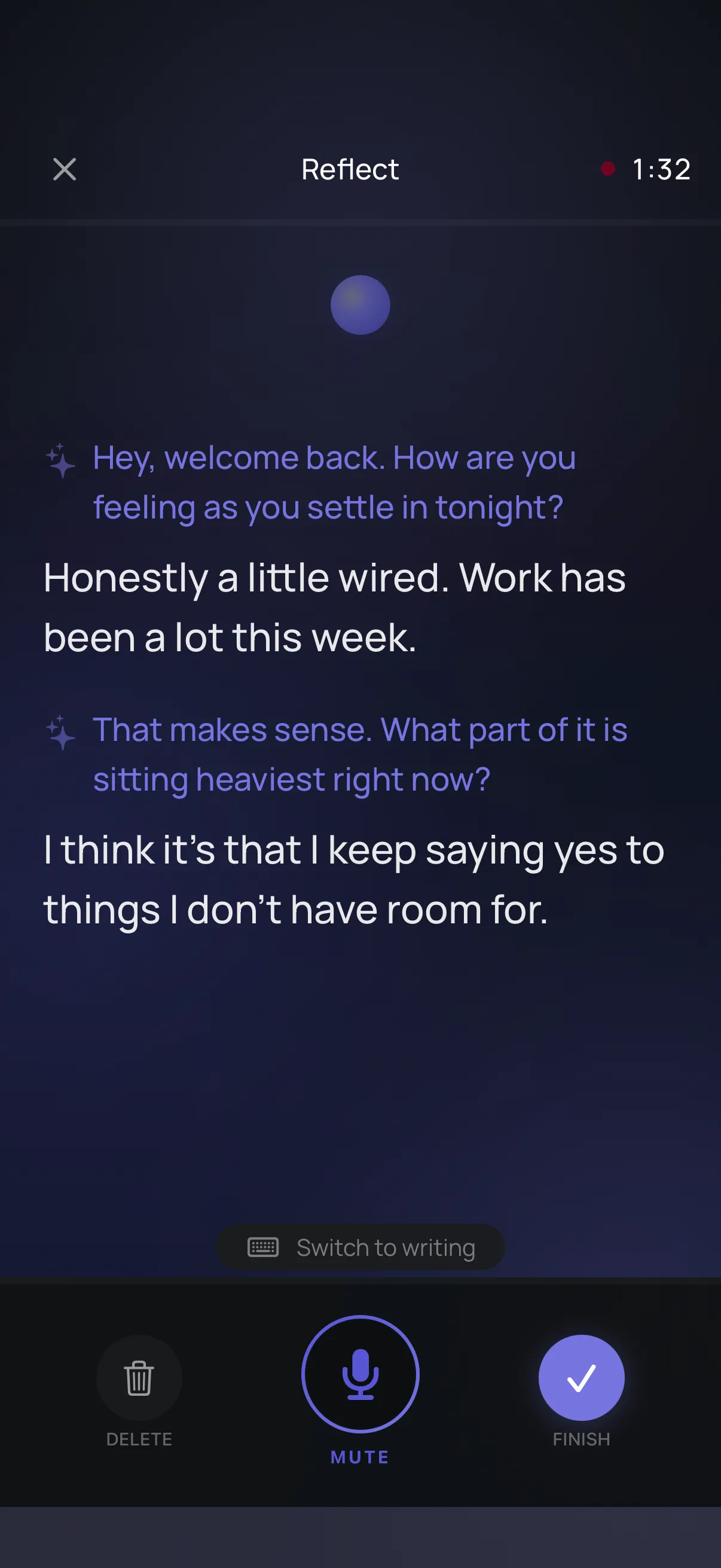
The session
Your words in white, your companion’s in violet. A timer, a mute button, and one button to finish — nothing else to learn.
-
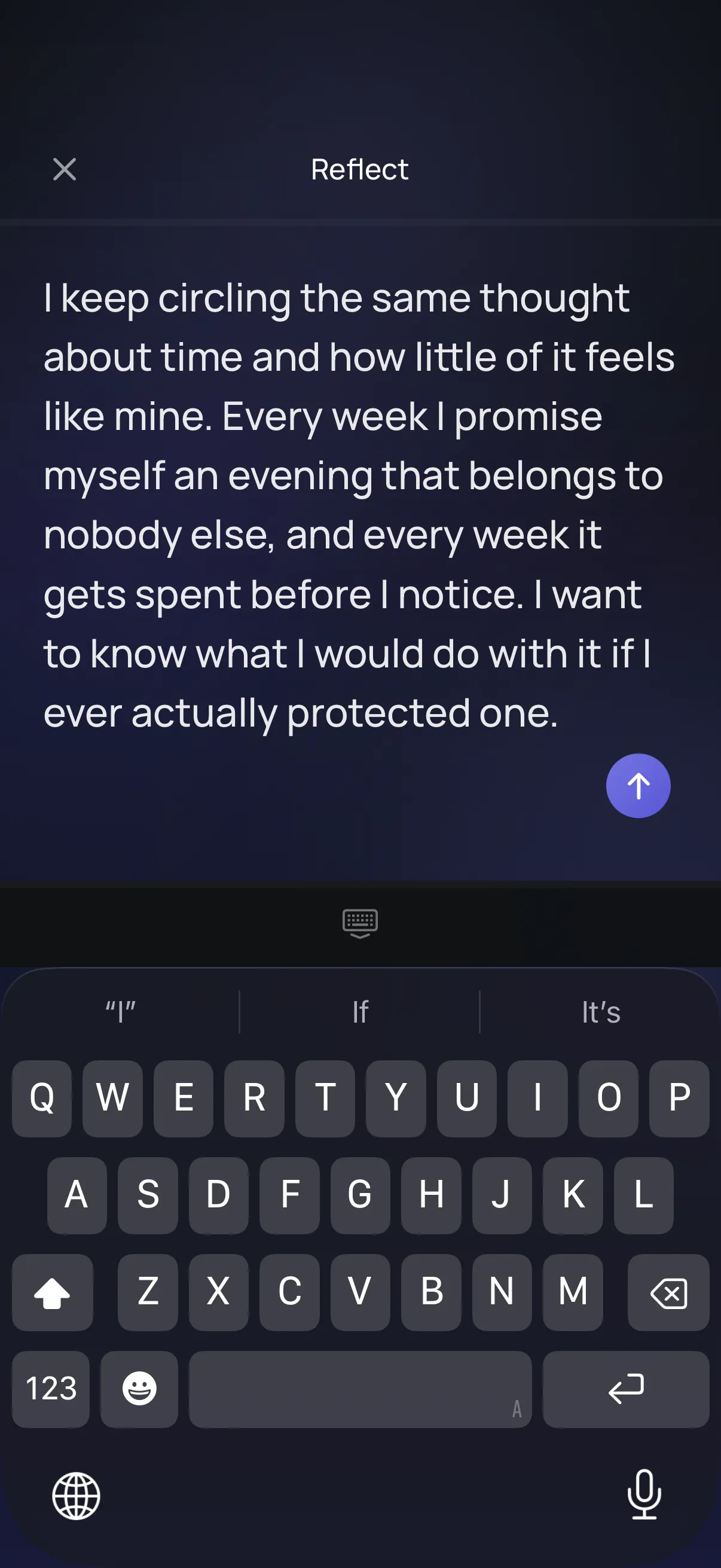
Or write instead
Tap “Switch to writing” at any point — mid-sentence is fine. What you already said is still there.
-
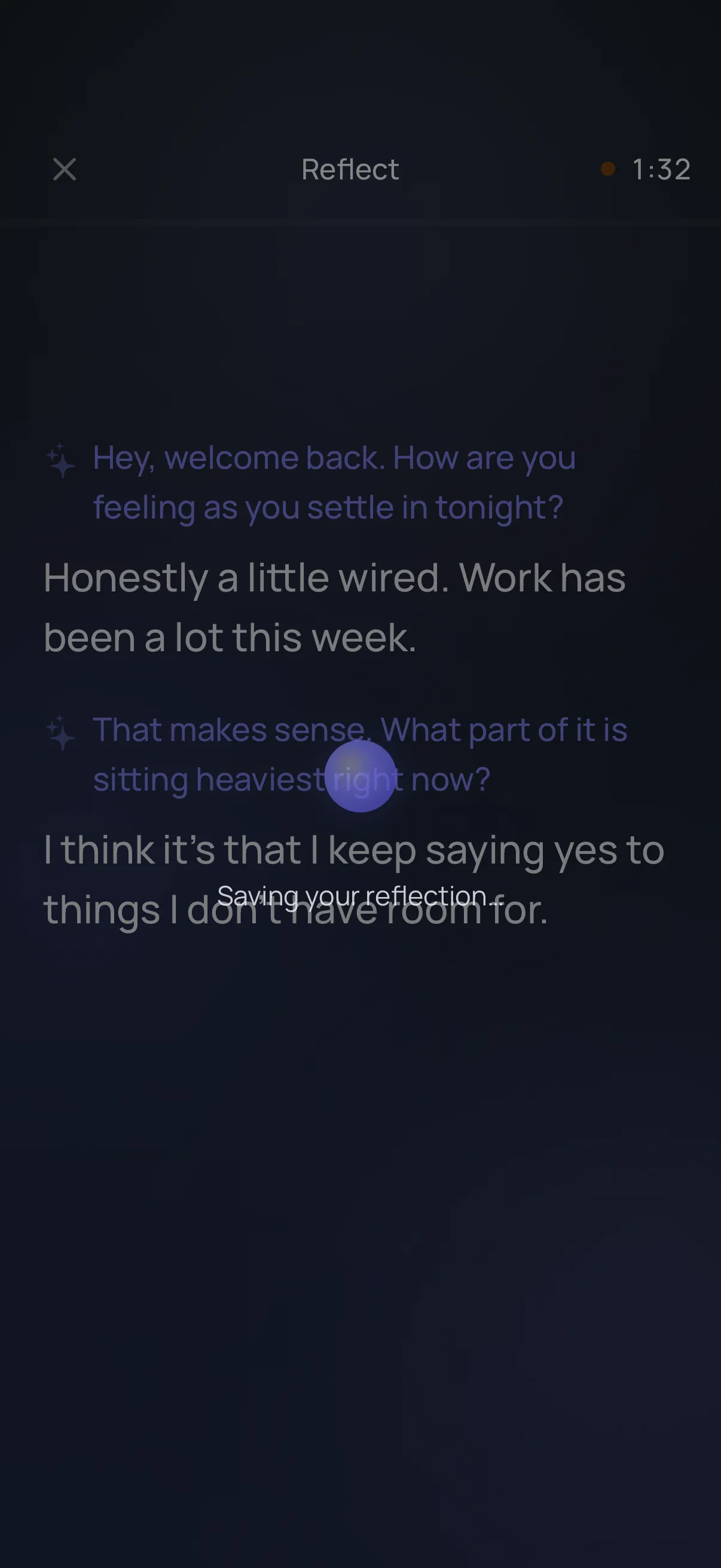
A proper ending
Finishing isn’t a save button. There’s a short beat where the session closes and settles into your journal.
Talking, with someone paying attention
It’s closer to thinking out loud near a friend than to filling in an app.
-
Start mid-thought
No title, no category, no “how was your day?” box. Open it and talk — the entry writes itself out of what you say.
-
It listens more than it speaks
Your companion stays quiet through most of a session. When it does speak, it reflects back what it heard and asks one question.
-
Switch to writing anytime
Somewhere you can’t speak? Move to the writing canvas mid-session without losing a word of what came before.
-
Your voice is kept
The recording stays on your iPhone alongside the text, so you can hear how you actually sounded saying it.
-
Finish when you’re done
There’s no minimum length and no streak to protect. Two minutes is a session. So is twenty.
-
A prompt, only if you want one
A single optional prompt waits on the home screen for the days you’d rather be met halfway. Ignore it and it stays quiet.
It treats you as already whole
Some of what makes this feel calm is everything that was deliberately left out.
-
It won’t give advice
No action items, no “have you tried”. Reflection means handing your own words back to you more clearly, not solving you.
-
It won’t diagnose you
This is a journal, not care. It has no opinion on what’s wrong with you, because that isn’t its job.
-
It won’t chase you
No streaks, no daily nag, no red badge for the week you didn’t open it. Come back when you want to.
What you say stays where you said it
Speaking is the most exposed thing you do in this app, so it’s the most carefully handled.
-
Audio never leaves
Recording and transcription both happen on your iPhone. The audio file stays in secure on-device storage — there is no copy anywhere else.
-
Names are swapped first
While cloud features are on, only text is sent — and every name in it, including yours, is replaced by a stand-in before it goes.
-
You can go fully offline
Turn cloud features off and reflection keeps working on your iPhone. Nothing you write leaves the device — during the session or after it.
Questions about reflecting
Does it give advice?
No — and that’s deliberate. Your companion listens, reflects back what it heard, and asks a gentle question only when it genuinely helps. It won’t diagnose you, set you goals, or tell you what to do.
What if I don’t know what to say?
You don’t have to arrive with a topic. Start mid-thought, ramble, contradict yourself, trail off — that’s what talking is. If you’d rather be nudged, there’s an optional prompt on the home screen you can start from.
Does my voice leave my iPhone?
No. Recording and transcription happen on your device, and the audio stays there. Only text is sent, and only while cloud features are on — with your name and everyone else’s swapped for stand-ins first.
Can I write instead of speaking?
Yes. There’s a writing canvas for the times speaking out loud isn’t an option, and you can switch to it mid-session without losing what you’ve already said.
Be there when it opens
Smart Journaling is in final testing. Leave your email and we’ll send a single note the day it’s live on the App Store — plus a chance to join the beta early. No spam, ever.
Already keen? Join the TestFlight beta →
By joining you agree to receive one launch email. See our privacy policy.